Making Dubber’s products more accessible.
The platform was failing at accessibility and an audit caught the obvious failures. The people who actually rely on assistive tech showed us the ones that mattered.
The platform was failing at accessibility and an audit caught the obvious failures. The people who actually rely on assistive tech showed us the ones that mattered.
We were working on migrating from a legacy platform so I decided to run an accessibility audit to see what we could bring along without having to redesign a bunch of stuff when we didn’t need to. Unfortunately, the results of that audit were very poor. Heaps of failures across WCAG 2.1 success criteria. Really basic stuff like contrast ratios (1.4.3, 1.4.11), keyboard navigation (2.1.1, 2.1.2), form inputs missing programmatic identification (1.3.5, 3.3.1) and focus states (2.4.7) for the majority of components. These weren’t edge cases, they were fundamental barriers that made the platform severely inaccessible.
I ran the audits using WAVE, axe Accessibility Checker, and Pa11y, but these were just automations and tools that could only ever capture surface-level problems.
I knew that we would never get the time or a significant bump to the budget to allow us to try and achieve full compliance across all WCAG levels. An example is sign language interpretation for video content (1.2.6, AAA). This wasn’t feasible because of Dubber’s infrastructure and budget. Another blocker was third-party integrations with gaps that we could not control. So before building roadmaps and planning what we were going to prioritise, I decided that we needed real users to help us understand what the most critical barriers were.
This also came at a time where a few of our key partners had strict accessibility requirements because of the industries they serviced. This meant that we could tackle accessibility in a really meaningful way and would have full support from the leadership team given that if we didn’t get this sorted, revenue could be lost.
With the support of a partner manager and after meeting with leadership, I was able to secure a budget for actual sessions with users and an accessibility specialist to lead them. We got 2 groups of users, 1 group of 5 people with visual impairments and a group of 3 with motor impairments.
These sessions confirmed a lot of the issues and gaps we discovered during the initial audit. But they also gave us a critical insight into how these issues were directly affecting users. All 8 participants relied on 1 or more assistive technologies like screen readers, keyboard-only navigation and voice control.
One of the insights which was provided repeatedly by people in both groups, was that users could not navigate the platform via a keyboard without getting lost. This was because of two things: no focus states and getting stuck (because there was no keyboard navigation at all). These were not minor inconveniences, these were users that were being completely locked out of the product.
With those sessions complete and all the data collected, sorted and analysed, I built a strategic roadmap. User Experience Enhancements, Compliance & Standards Alignment, Inclusive Design Practices, and Testing & Feedback (all the formal language). To be honest though, it really came down to just fixing what was broken. I prioritised contrast, sizing, and interactions because our audits showed these were creating the most widespread problems. Low contrast made text unreadable for users with low vision, undersized touch targets made mobile navigation nearly impossible for users with motor impairments, and missing focus states locked out keyboard-only users entirely.
The expectation from the executive team was that this work would not delay anything on the product roadmap. So it was a matter of connecting the accessibility roadmap to initiatives on the product roadmap. We did this officially in sprint planning, while planning the current sprint we would try and identify 1 or 2 accessibility initiatives that we could attach to the work being done, without it redefining the scope or creating a whole new project. Unofficially, I tasked my design team to try and sneak these in when they were working directly with engineers if there was a good opportunity to do it.
I also ensured that accessibility checks were embedded directly into Switchboard (our design system) while we were building it out. Making sure that accessibility became part of the process and not just something we sprinkled on top. This process ensured when we designed and built, we would do it with WCAG compliance in mind.
With each product initiative/feature, we tackled a few accessibility issues and gaps that were directly related to the components and flows that were being built.
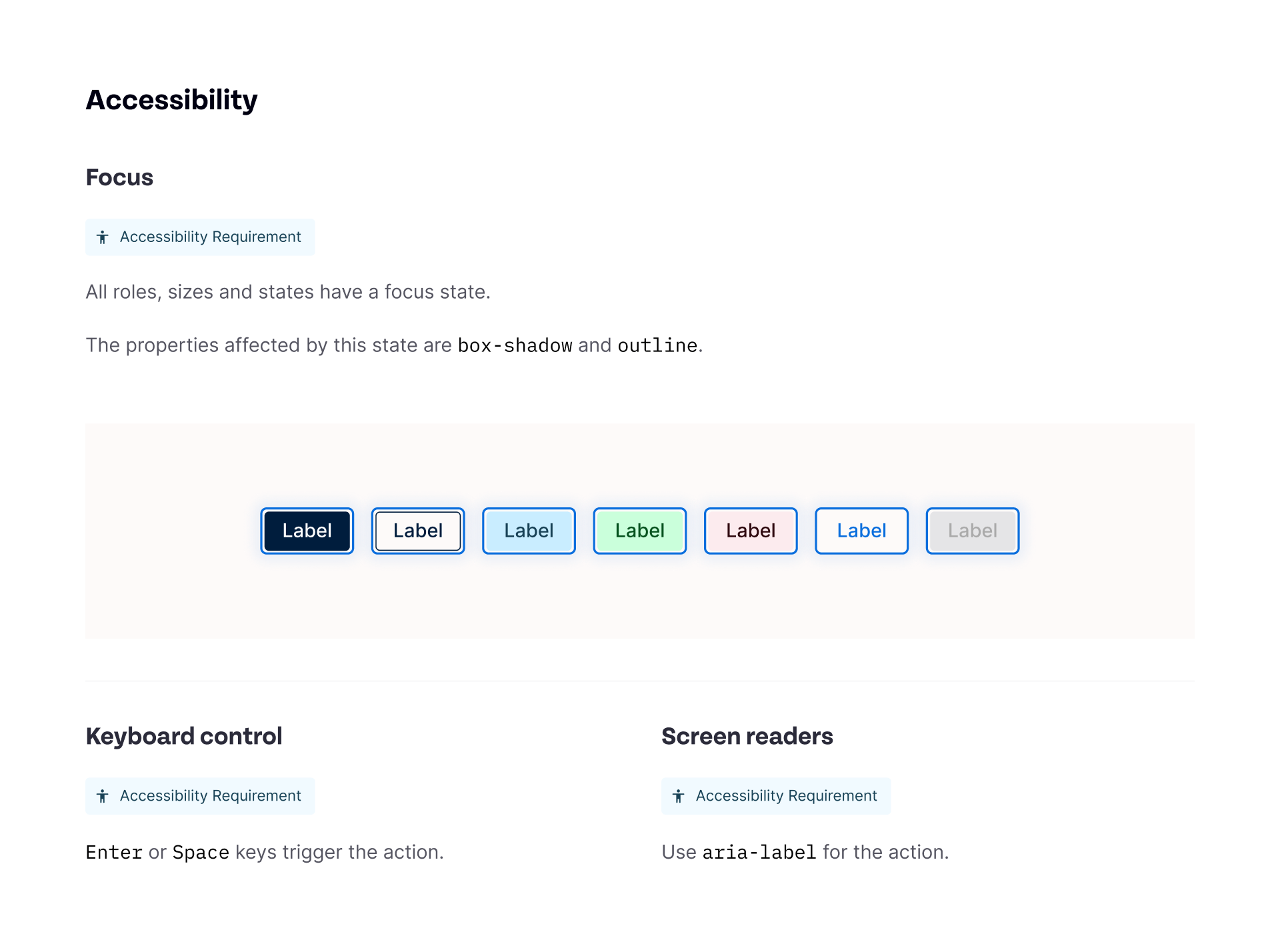
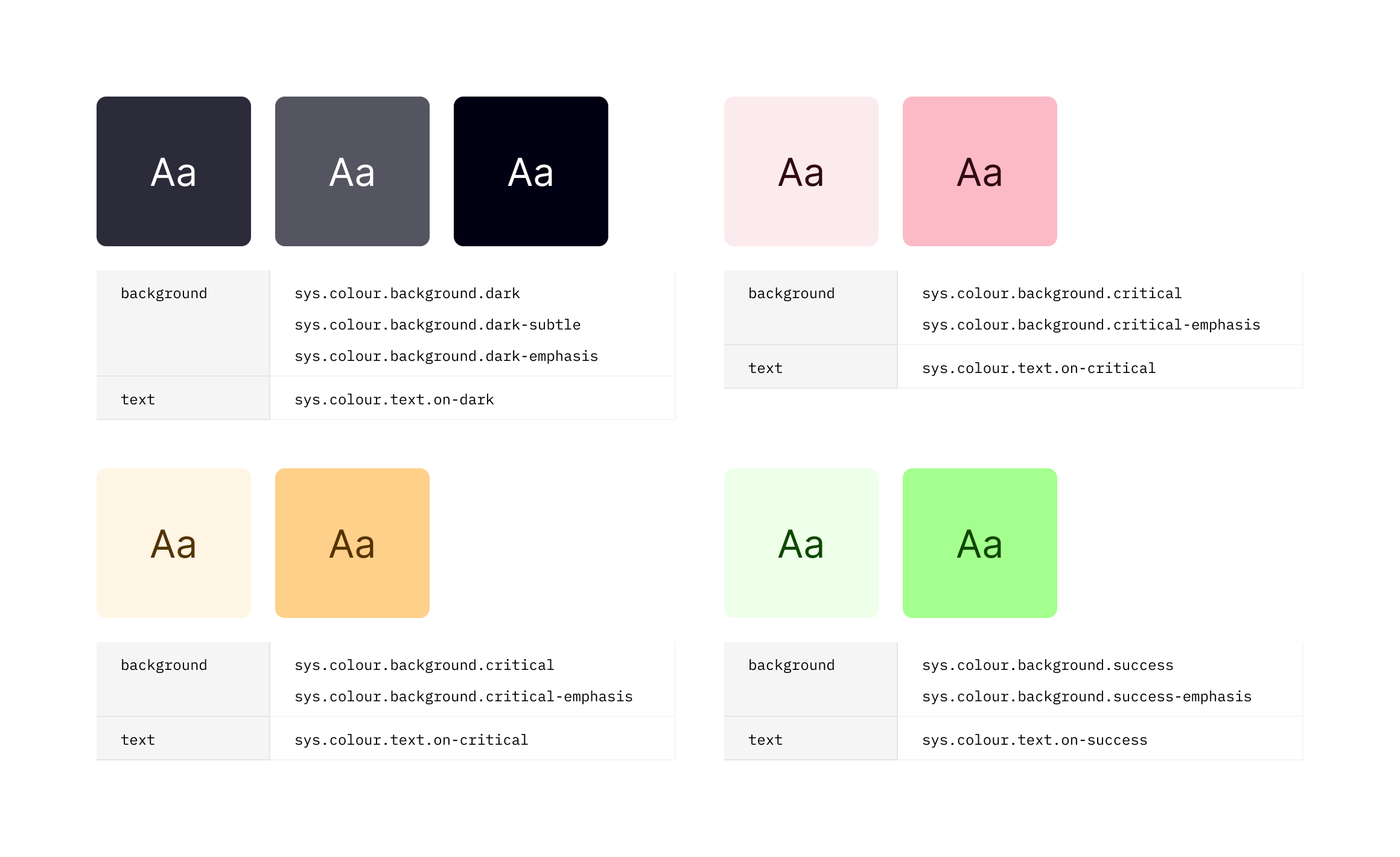
After several of these were complete we managed to achieve full implementation of core WCAG 2.1 AA criteria. We fixed contrast minimums (1.4.3), semantic HTML structure (1.3.1), keyboard operability (2.1.1), and visible focus indicators (2.4.7). The remaining gaps were documented in the roadmap with clear priorities and timelines along with which initiative or feature they would directly tie in with. Things like enhanced keyboard navigation across all modules (2.1.2), programmatic input identification (1.3.5), and responsive reflow at 200% zoom (1.4.4).
We didn’t fix everything, but we made the product usable for people who couldn’t touch it before. This also resolved the biggest concerns that partners had when it came down to their accessibility requirements. But if I’m being completely honest, my priority was to ensure that the people we spoke with (and others with accessibility requirements) were able to use our product and get the value they needed from it, without being blocked altogether.
Ready to get in touch?